
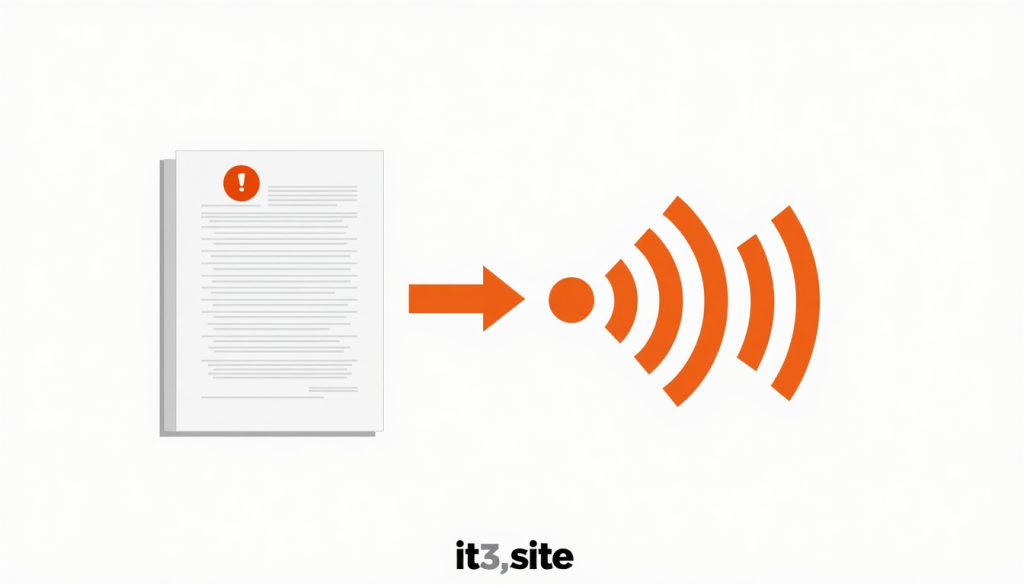
Imagine being able to listen to any article, document, or webpage instead of reading it — while commuting, exercising, or multitasking. Or creating professional voiceovers for your videos and presentations without recording a single word yourself.
That’s exactly what a free Text to Speech (TTS) tool makes possible. In this guide, we’ll cover what text to speech technology is, who uses it, its most powerful use cases, and how you can convert any text into natural-sounding audio for free using it3.
What Is Text to Speech?
Text to Speech (TTS) is a type of assistive and productivity technology that converts written text into spoken audio. Modern TTS tools use advanced AI and neural voice synthesis to produce natural, human-like voices — far beyond the robotic, monotone voices of early speech synthesizers.
Today’s TTS tools can:
- Read text in dozens of languages and accents
- Adjust speaking speed and pitch
- Produce male, female, and neutral voice options
- Generate audio files you can download and use anywhere
Who Uses Text to Speech Tools?
Text to Speech technology is used across a surprisingly wide range of industries and personal use cases:
Content Creators and YouTubers Create voiceovers for videos, reels, and shorts without needing a microphone or recording setup. TTS lets you produce professional-sounding narration in minutes.
Students and Learners Listen to study notes, textbooks, and articles while on the go. Hearing content read aloud improves retention for many learners, especially auditory learners.
People with Visual Impairments TTS is a critical accessibility tool that makes written digital content accessible to people with visual impairments or reading disabilities like dyslexia.
Podcasters Convert written scripts into spoken audio tracks for podcast episodes — especially useful for solo podcasters who prefer scripting over improvising.
E-Learning Developers Add professional narration to online courses, training modules, and educational videos without hiring voice actors.
Business Professionals Listen to long reports, emails, and documents during commutes instead of reading on a screen — saving time and reducing eye strain.
App and Game Developers Add voice narration to apps, games, and interactive experiences without expensive voice recording sessions.
Authors and Proofreaders Listen to written content read aloud to catch errors, awkward phrasing, and unnatural sentences that are easy to miss when reading silently.
Top Use Cases for Text to Speech
1. Video Voiceovers
Creating a YouTube video, explainer animation, or social media reel? Instead of recording your own voice or hiring a voice actor, paste your script into a TTS tool, choose a natural-sounding voice, and download the audio file. Sync it with your video in any editing tool.
2. Podcast Production
Script your episode, convert it to speech, and use the audio as your podcast track. Great for news briefing podcasts, educational content, and daily update shows.
3. Accessibility Features
Add audio versions of your blog posts and articles to your website, making your content accessible to visually impaired readers and people with reading disabilities.
4. Language Learning
Hear correct pronunciation of words and sentences in a foreign language. TTS tools support multiple languages and accents, making them ideal pronunciation references for language learners.
5. Proofreading and Editing
Listening to your content read aloud helps you catch mistakes that your eyes skip over when reading. This technique is widely used by professional writers and editors.
6. Productivity and Multitasking
Convert long articles, reports, newsletters, or emails into audio and listen while commuting, cooking, or exercising — turning passive time into productive learning.
7. E-Learning and Training
Build professional narrated online courses and training materials without recording studios or voice actors. Update scripts instantly without re-recording.
8. Audiobooks
Convert written books, stories, or guides into audiobook format. Self-published authors can create audio versions of their books at zero cost.
Key Features to Look for in a TTS Tool
When choosing a Text to Speech tool, here’s what matters most:
Voice Quality The most important factor. Look for natural, human-like voices powered by neural AI — not robotic or monotone synthesis.
Language and Accent Support If your audience is global or multilingual, choose a tool that supports multiple languages and regional accents.
Speed and Pitch Control The ability to adjust speaking speed (slower for learning, faster for productivity) and pitch (for different voice styles) adds flexibility to your output.
Download Option The ability to download the generated audio as an MP3 or WAV file is essential for using TTS output in videos, podcasts, and other media.
No Character Limits Some free TTS tools restrict how much text you can convert at once. A good free tool should handle long-form content without forcing you to break it into chunks.
How to Convert Text to Speech for Free With it3
it3’s Text to Speech tool is fast, free, and browser-based:
- Open the Text to Speech tool in your browser
- Type or paste your text into the input box
- Select your preferred voice, language, and speaking speed
- Click “Convert” to generate the audio instantly
- Play it directly in the browser or download it as an audio file
No signup required, no watermarks on audio, works on any device including mobile.
Text to Speech vs AI Voice Generators — What’s the Difference?
Both convert text to audio, but there are key differences:
| Text to Speech (TTS) | AI Voice Generator |
|---|---|
| Converts typed text to speech | Can clone real voices or create custom voices |
| Uses preset system voices | Uses deep learning to generate ultra-realistic voices |
| Fast and simple | More powerful but often more complex |
| Free tools widely available | Advanced features usually paid |
| Great for everyday use | Better for professional productions |
For most everyday use cases — voiceovers, accessibility, learning, proofreading — a standard TTS tool like it3’s is fast, free, and more than sufficient.
Tips for Getting the Best Results from TTS
Use punctuation properly — commas and periods tell the TTS engine where to pause naturally, making speech sound more human.
Break long sentences — shorter sentences sound more natural when read aloud by TTS tools.
Spell out abbreviations — write “kilometers per hour” instead of “kph” to avoid mispronunciation.
Use phonetic spelling for unusual words — if a name or technical term is mispronounced, try spelling it phonetically (e.g., “Ky-ev” instead of “Kyiv”).
Adjust speed for your use case — slower speeds work better for educational content and language learning; faster speeds suit productivity listening.
Conclusion
Text to Speech technology has evolved from a basic accessibility feature into a powerful productivity, content creation, and learning tool used by millions of people every day. Whether you’re creating video voiceovers, making your website more accessible, studying on the go, or simply listening to articles instead of reading them — a free TTS tool puts the power of audio at your fingertips.
Convert your text now: Free Text to Speech Tool →